Wednesday, 17 October 2012
My Final Movie
After completing my movie in Week 5 Class 2 i came to Week 6 Class 1 thinking i would be set to go turns out no... my movie got corrupted and so i had to re-edit it in a new movie making program. After finishing my movie not to the standard i wanted to i was disappointed but relieved. I unfortunately only got to add a 'title' not a ending as nor my teacher or i could figure out how. So this is my final movie
Hope you enjoy :)
Final song choice :)
My final song choice for my movie is... Magical Nights.
http://www.jamendo.com/en/track/953702/magical-nights-jamendo-bonus-track
Thursday, 11 October 2012
Developing my movie more..
I have made my first movie but it only goes for 32second. I have to add more to it to get it up to the right time but its looking good so far. I have changed it slightly from my story board but till relatively follows the same idea. The start of my movie will enter into my scenario and show off the entire look, animation and setting. The middle will be a series of short clips showing of good view points involving animation. The end of my movie will be exiting the scenario and trying to capture the size and shape of my models.
I hope to also climb on something during maybe one of the short clips in the middle section to show a birds eye view of the animation of my models.
Here is the YouTube link to my developing movie..
http://www.youtube.com/watch?v=wDRG50K5imk&feature=youtu.be
I hope to also climb on something during maybe one of the short clips in the middle section to show a birds eye view of the animation of my models.
Here is the YouTube link to my developing movie..
http://www.youtube.com/watch?v=wDRG50K5imk&feature=youtu.be
Music for my movie
I have been looking on the creative commons website at music that i can use for my movie. Something that i can change or post publicly.
The first minute or so of this song is quite interesting... i thought it might go nicely in my movie as it kinda gives of an exploring vibe or even hunting to find.
The beginning of this song is really cool. You kind of feel like your walking through a forest and hearing all the sounds The rise in the beginning which develop on the starting point for my movie. When it gets to the talking it looses its strength though.
This is also really cool. Has a great starting point. Would work really well if i decide not to make my movie just a walk through but more a bit of a walk through and putting in some really cool view points.
Tuesday, 9 October 2012
Youtube clips
Another clip..
http://www.youtube.com/watch?v=FLEdR5VM5Pw&feature=youtu.be
Hopefully i can get some good view points next class...
http://www.youtube.com/watch?v=FLEdR5VM5Pw&feature=youtu.be
Hopefully i can get some good view points next class...
Another clip
http://www.youtube.com/watch?v=wiBeidSwiC4&feature=plcp
Videoing more view points.. trying to find something that looks cool :)
Week 5: Class 1
Today i started working with video and my model. I have just started learning how to use Fraps and working with ideas on how i want my movie to work. I have also started videoing some small details of animation in my models to get some closes ups on how things work and what doesn't look so good. I have added to these to a YouTube account so here are two links of the first movies i have taken and my developing ideas....
http://www.youtube.com/watch?v=be1r-Z0vnuA&feature=youtu.be
http://www.youtube.com/watch?v=bMYVQA_aTgo&feature=youtu.be
Enjoy :)
http://www.youtube.com/watch?v=be1r-Z0vnuA&feature=youtu.be
http://www.youtube.com/watch?v=bMYVQA_aTgo&feature=youtu.be
Enjoy :)
Week 4: Class 2
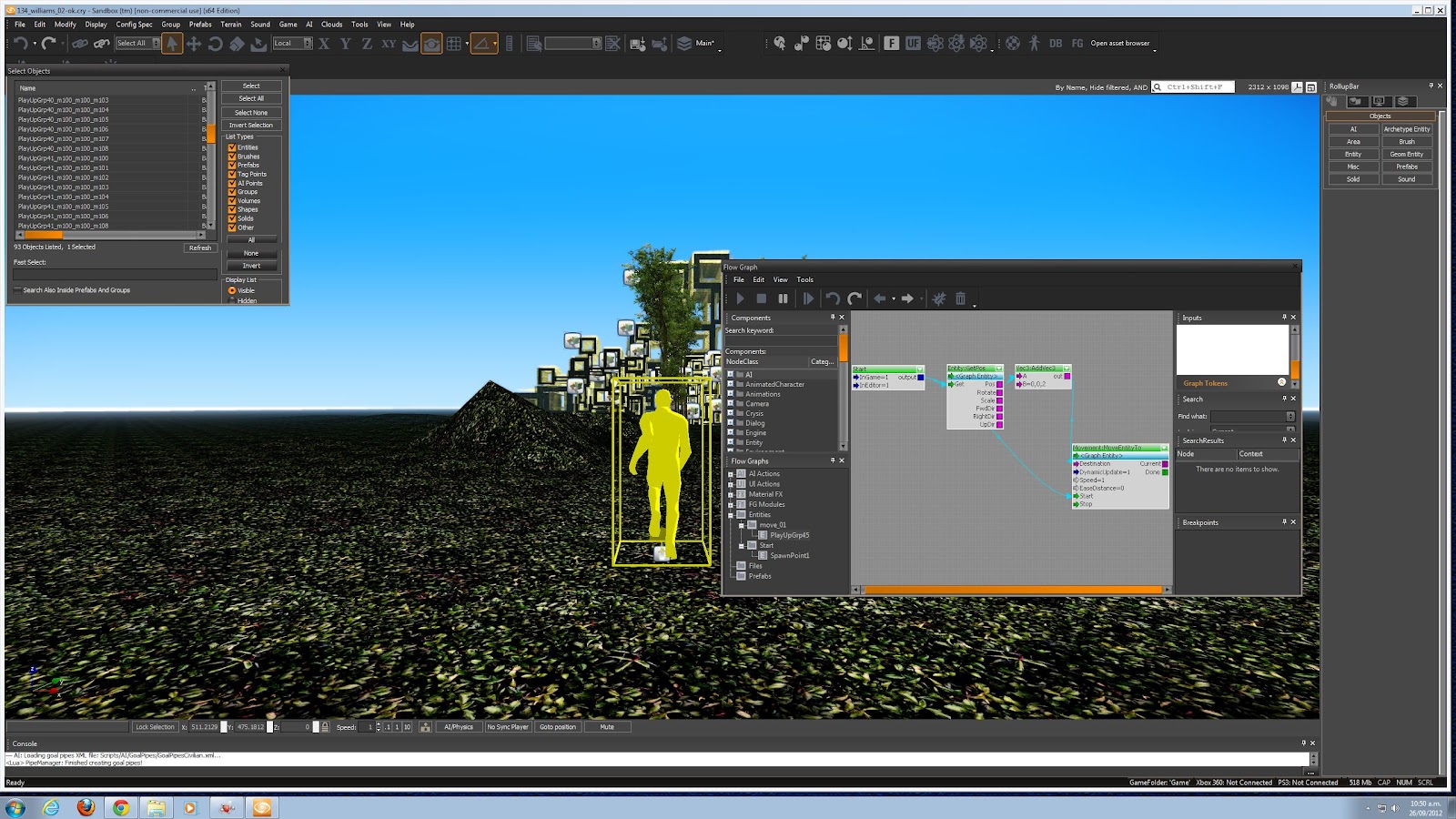
During this class i learnt how to animate one of my models and make it move back and forth. This is the first time i have tried to do this. It worked really well the first time so i have used the same flow graph on more than one of my models. It has added a really good contrast to all of my other models just moving up from underneath the ground. Here is the copy of my flow graph that i made to move them in certain directions and then pull them back.
I have also been developing the first scene of my movie, i wanted it to look like my person was coming out of a full forest shot and into the area where all of my models are. So here is a picture of what my movie will look at the start.
Thursday, 4 October 2012
Name ideas for my movie...
I haven't thought too much about the name of my movie because i haven't developed it enough yet for it to even really look like a movie. We also have to incorporate some kind of music back ground, I'm not so sure about this as I'm worried it will change the whole feel of my movie.
I want my movie to be sort of like a dream. Walking into clearing, running from these giant block forms, being relieved once your out. But i don't want to name it something cheesy....
Maybe:
- Block me out
- Giant Dreams
- Dream Scare?
- Block by block..
- Block Monsters...
I think i will talk to my teach about this one :)
I want my movie to be sort of like a dream. Walking into clearing, running from these giant block forms, being relieved once your out. But i don't want to name it something cheesy....
Maybe:
- Block me out
- Giant Dreams
- Dream Scare?
- Block by block..
- Block Monsters...
I think i will talk to my teach about this one :)
Week 4: Class 1 = Glow Texture :)
This is the new texture i found with my teacher! I really like the contrast it has with the cloth green texture. This is an image if it under the ground level on CryEngine as i am making a flow graph to animate it and move it upwards. I really like this texture and i think it might even be more effective than the cloth. The cloth looks great but is sort of loosing the form of my model. I will text out making a few more with the glow texture and see how it all turns out.
Wednesday, 3 October 2012
Story Board
Now i know you can't see these pictures very well but lets just pretend you can :)
Basically my idea is to have some walking out into a clearing from a forrest area. They walk out into the space and these giant block forms start coming up from the ground. The person then starts to run past and around them to get away but is getting followed and blocked by them. I can't decide if i want it to end by the person looking back to an empty space again or to look back an see all these huge models (something i will talk to my teacher about). Anyway here is my story board.
Quite light but :)
Basically my idea is to have some walking out into a clearing from a forrest area. They walk out into the space and these giant block forms start coming up from the ground. The person then starts to run past and around them to get away but is getting followed and blocked by them. I can't decide if i want it to end by the person looking back to an empty space again or to look back an see all these huge models (something i will talk to my teacher about). Anyway here is my story board.
Quite light but :)
Developing my final movie
Here is an example of that. I am now going to develop a wee drawing of how my movie will go. :)
Thursday, 27 September 2012
Week 3: Class 1
After talking with my teacher about getting a new texture for my models i found this. It is a cloth texture but it is also animated. I flows in the wind like cloth would but keeps the shape of my model at the same time. It clashes terribly with my grass on the ground but im getting over that quickly and im thinking about doing something like dirt or sandy.
Full view of my model :)
I have also been working on how to animate things on CryEngine and also how to remove the guys gun and all the 'game' settings that are displayed on the screen. Here are some shots of how i did it.
Here is my spawn point and removing the game settings and gun from my screen :)
Making something move up.
Full view of my model :)
I have also been working on how to animate things on CryEngine and also how to remove the guys gun and all the 'game' settings that are displayed on the screen. Here are some shots of how i did it.
Here is my spawn point and removing the game settings and gun from my screen :)
Making something move up.
Monday, 24 September 2012
100 words about my ideas.
For my final movie i have been thinking about working with animation and making my model move up and down, in and out of view. It would start with someone walking out into a clearing from a forest area to a blank space. Then when they take a step forward multiples of my model would start coming up from the ground, they would begin running from them and continuing to be stopped in their path. On exiting the area i would like it to end with the person looking back behind to an empty area like the beginning. As if it was all a dream.
Week 2: in CryEngine
I have been working on my model more in CryEngine and getting images of different views for the upcoming interim. I have been trying to focus on the model itself but often get distracted by the dinosaurs, tractors and all this other fun stuff you can put in. After talking to my teacher we have decided i should change my texture as its not really working overall on my model. Here are a few of the 'snips' i have taken of my model so far....
And some night shots with the glowing lights on my model look great...
After taking all of these i now have to decide on 3 for my interim or take some more - i like finding new view points on my model and gathering ideas on how my final movie could look.
And some night shots with the glowing lights on my model look great...
After taking all of these i now have to decide on 3 for my interim or take some more - i like finding new view points on my model and gathering ideas on how my final movie could look.
Tuesday, 18 September 2012
Working in CryEngine - new model.
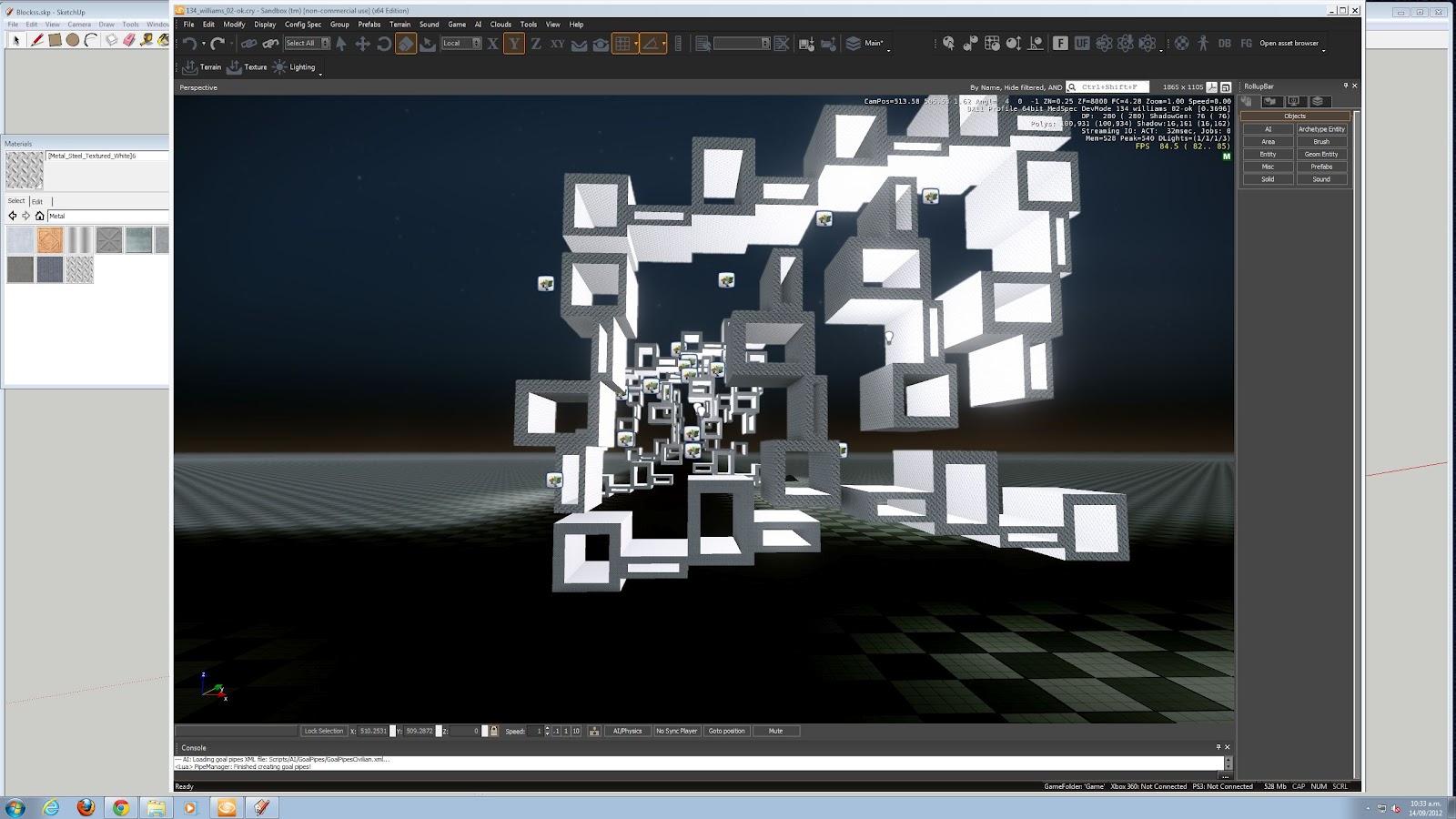
I have decided to bring a new model into CryEngine from SketchUp. I have made a model still with the influence of my repetition model but on a lot larger scale. I have decided to work with the things the teacher is wanting us to learn such as bringing in lights, texture and different weather. Here goes...
Here is my model in CryEngine. I have figured out how to play with rain in my scene. Although unfortunately you can still see my gun floating and my binoculars it still looks cool!!
I have figured out how to put lights around and on my model. I placed the light inside the box shapes in the model to really light up the features. It looks great in the dark :)
Adding some big trees in just for fun.
Multiplying my model to make it look a little more interesting. I also need to make sure my project stays more about the model then the scene it is placed in.
Showing some more views of my model through the trees. Cant figure out if this is sun rise or sun set but the lighting is cool.
A far away shot of my model. It looks like the pathway into a small but very high lighted village. I have also been playing with the ground and rising and lowering it in some places.
In my next class i am going to be working with this same model again hopefully making it a little more interesting!
Thursday, 13 September 2012
New model - SketchUp
I have been playing in Google SketchUp and working on a new model to move in CryEngine for next class - i have kept with the rectangle / cubed shape from my repetition model. I have gone in a different direction though with more height and looking through the images. I hope i can create something cool with this in CryEngine :)
Putting my model in CryEngine :)
My first attempt at playing in CryEngine :) i used my model i posted on my blog below after talking with my teacher. I have found a few ways to navigate around my model and flying how to screen shot on a pc with a mac keyboard!! It was fun to have a try around and see how things look and work. Here are a few more pictures showing more views and activity....
Funny Binoculars!
Funny Binoculars!
Subscribe to:
Posts (Atom)